- •
Always verify the bridge URL and token selection before confirming, since most issues come from incorrect inputs rather than the bridge itself. - •
Gas fees and network congestion directly affect speed and cost, so timing your transaction can reduce delays and failed transfers. - •
If funds do not appear, check transaction status and token visibility first, as delays are often due to wallet display or finality timing.
Activity around Mantle has picked up again, mainly because users are looking for cheaper execution while still staying close to Ethereum liquidity, and that is where many now Bridge to Mantle to access staking flows and newer DeFi setups that are slowly building depth across the network.
Mantle is also moving toward expanding its ecosystem with discussions around a native stablecoin, which signals a push toward deeper liquidity and more stable on-chain activity over time.
Requirements Before You Bridge to Mantle
Before moving funds, you need to set up the basics properly. This is where most mistakes happen, not during the transfer itself.
- You will need an EVM-compatible wallet like MetaMask that supports manual network configuration. Mantle does not appear automatically, so you must add its RPC details to your Web3 wallet before receiving funds.
- Gas preparation matters more than it seems. You will need ETH on the source chain for transaction approval and a small amount of MNT on the destination side for further actions after bridging.
Step-by-Step Guide: Bridge to Mantle via Mantle Bridge
The most direct method to Bridge to Mantle is through the official Mantle Bridge interface. It is limited to Ethereum, but it keeps the flow predictable and reduces routing errors that sometimes occur on aggregators.
Before starting, understand that bridging is not just a transfer. It is a contract interaction that locks assets on one chain and releases them on another, so each step must be verified carefully to avoid delays or incorrect confirmations.
Alternative Platforms
If the official route does not fit your needs, especially when moving from non-Ethereum chains, you may need more flexible tools to Bridge to Mantle through alternative paths.
Symbiosis Finance
Symbiosis Finance works as a cross-chain liquidity router. It handles both swapping and bridging in a single flow, which helps when your asset is not directly supported on Mantle. You select the token and chain, and it finds a route behind the scenes.
LayerSwap
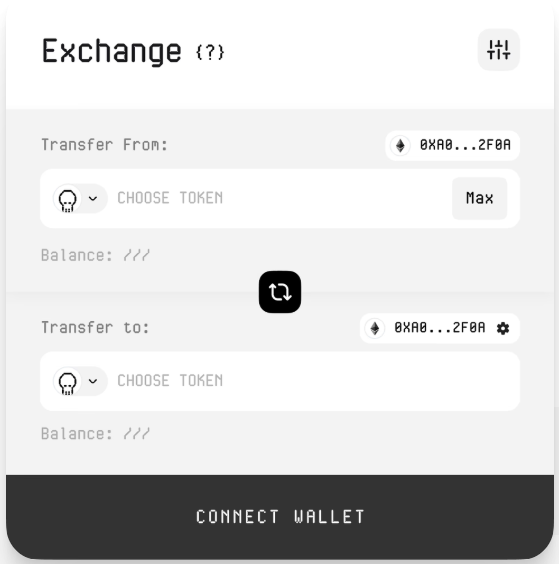
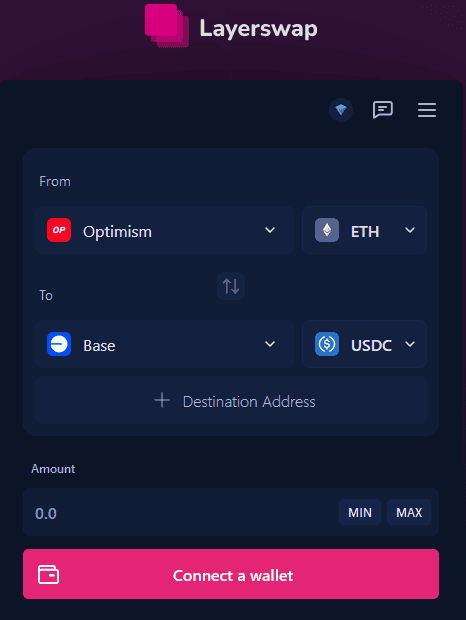
LayerSwap focuses on speed and exchange-linked transfers. It supports multiple chains and can route assets directly from centralized exchanges into Mantle, which reduces steps if your funds are not already in a Web3 wallet.
Security Considerations / Troubleshooting
Bridging introduces another layer of risk compared to simple transfers, so you need to stay precise with each step.
Always verify the bridge interface URL before connecting your wallet. Phishing pages are common and usually look identical to official ones.
Check token compatibility before confirming the transaction. Some assets are wrapped during bridging, and selecting the wrong version can cause delays or confusion.
If funds do not appear, first confirm the transaction on the source chain explorer. Then check if the token needs to be imported manually in your wallet. In some cases, delays come from finality times rather than failures.
Gas-related issues are also common. If your transaction fails midway, it usually means the gas estimate was too low or the network became congested during execution.
Final Thoughts
When you Bridge to Mantle, you are not just moving funds, you are positioning your capital toward a network that is still developing its liquidity base, and that means early users tend to start with stable assets, test protocols, then slowly move into higher-risk strategies once they understand how the ecosystem behaves under real conditions. If you are looking for something more specific, like how to bridge from Base to Mantle, you can read our detailed guide where we explain the approach we consider most effective.
FAQs
1. How long does it take to bridge using Mantle Bridge?
Most transfers complete within a few minutes, but delays can happen depending on Ethereum congestion.
2. Do I need MNT before bridging?
You do not need it to receive funds, but you will need MNT later for transactions on Mantle.
3. What asset is commonly used for bridging?
Stablecoins like USDC are often used since they have better liquidity and fewer price fluctuations during transfers.