- •
Aptos uses a non-EVM structure, so you need both an EVM wallet for sending and an Aptos wallet to receive funds. - •
Stargate Finance is commonly used to Bridge to Aptos due to consistent routing, low fees, and fast execution across supported networks. - •
Stablecoins like USDC are typically preferred when bridging, as they offer deeper liquidity and reduce slippage during transfers.
Activity on Aptos has been picking up again, largely driven by its low latency execution model and increasing DeFi liquidity across native protocols. Users moving capital from EVM chains are looking for faster settlement and lower fees, especially for trading and lending strategies.
On the development side, Aptos has been pushing ecosystem expansion, including ongoing discussions around stablecoin integrations and deeper liquidity routes. That combination is a key reason users are choosing to Bridge to Aptos right now.
Requirements Before You Bridge to Aptos
Before you move funds, the setup matters more than the actual transfer.
- Aptos Wallet: Set up an Aptos-compatible wallet such as Petra or Aptos Connect to receive funds. Aptos does not support EVM wallets directly.
- Gas Fees: Keep ETH or the native token of your source chain ready to cover transaction fees. You can acquire Ethereum ($ETH) for gas fees on Bitunix. On the Aptos side, expect small APT requirements for transactions.
- Token Registration: Aptos uses a different token standard. Some tokens need to be registered inside your wallet before they become visible after bridging.
How to Bridge to Aptos via Stargate Finance
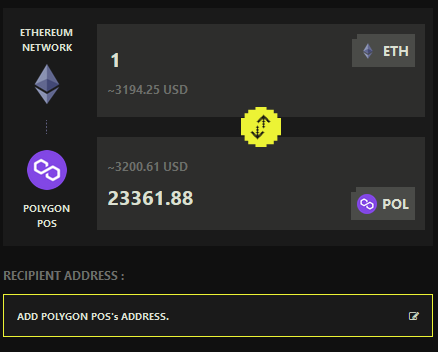
The primary way to Bridge to Aptos is through the official Stargate Finance interface. It handles liquidity routing across supported networks and keeps execution predictable, which is why most users rely on it.
Alternative Platforms
While Stargate Finance is the main option, some users prefer aggregators or cross-chain tools for flexibility.
Portal Bridge
Portal Bridge supports both EVM and non-EVM networks, including Solana and Aptos. It is often used when moving assets across ecosystems that are not directly connected through standard EVM routes. The interface allows manual control over token selection and destination mapping, which can be useful for advanced users managing multi-chain portfolios.
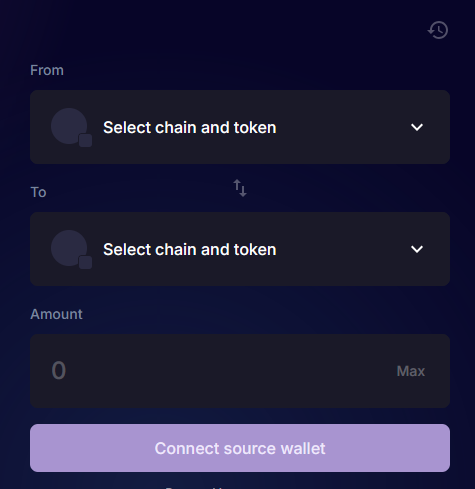
RocketX Exchange
RocketX operates as an aggregator that combines swaps and bridging into a single flow. Instead of selecting a single bridge, it routes through multiple liquidity providers to find optimal pricing. This can reduce manual steps, especially if you need to convert assets before transferring to Aptos.
Security Considerations / Troubleshooting
Bridging introduces a different risk layer compared to simple transfers. Most issues arise from incorrect wallet setup or transaction confirmation errors.
First, always verify the bridge URL before connecting your wallet. Phishing interfaces often mimic official bridges and can drain funds instantly.
Second, confirm token compatibility. Not all assets transfer directly. Some require wrapped versions, and selecting the wrong token can result in delays or stuck transactions.
If funds do not appear after bridging, check the following:
- Confirm transaction completion on the source chain
- Verify token registration inside your Aptos wallet
- Cross-check the destination address used during the transfer
Gas-related failures are also common. If a transaction fails midway, it is usually due to insufficient gas or network congestion.
Final Thoughts
Bridging is not just a technical step. It is usually tied to a broader objective, such as accessing Aptos-native liquidity, participating in DeFi protocols, or positioning early in emerging ecosystems. If you plan to Bridge to Aptos, think about what you want to do once your funds arrive. Lending platforms, DEX liquidity pools, and early-stage protocols tend to attract most incoming capital. Your strategy should align with that direction rather than treating bridging as a standalone action.
As the network evolves, capital flows will continue to shift. Users who move early often focus on stable assets first, then rotate into higher-risk opportunities once they understand the ecosystem.
FAQs
1. How long does it take to Bridge to Aptos using Stargate Finance?
Most transfers complete within a few minutes. Timing depends on source chain congestion and finality.
2. Do I need APT before receiving tokens?
Some bridges handle initial setup, but keeping a small amount of APT is recommended for future transactions.
3. Which asset is best for bridging?
Stablecoins like USDC are commonly used due to deeper liquidity and lower slippage during transfers.