- •
You can bridge to MegaETH using the official MegaETH Bridge on RabbitHole, which supports 60+ EVM networks. - •
Gas fees depend on your source chain, with Ethereum typically costing more during congestion. - •
Always confirm network compatibility and review routing details before approving a bridge transaction.
MegaETH went live with a clear focus on high-speed execution within the Ethereum ecosystem. Since launch, liquidity has started moving in as users test performance, deploy capital into early DeFi protocols, and position for potential ecosystem incentives tied to on-chain activity. The network has also outlined plans around native stablecoin infrastructure, signaling an intent to support serious trading and settlement use cases rather than experimental deployments alone.
Prerequisites
Before you bridge to MegaETH, make sure your setup is correct.
- You need an EVM-compatible wallet such as MetaMask or Rabby. Since MegaETH operates within the EVM ecosystem, a single Ethereum-based wallet is sufficient for most users transferring from other EVM chains. But in order to use wallets like MetaMask, users would first need to add MegaETH network to MetaMask or Rabby Wallet using RPC details.
- You must also hold the native gas token of your source network. If you are bridging from Ethereum, that means holding ETH for gas. After the transfer, you will need ETH on MegaETH to interact with dApps.
- Finally, add the MegaETH network manually to your wallet if it is not preloaded. Without adding the network, your bridged assets may not display correctly.
Step-by-Step Guide: Bridge to MegaETH via MegaETH Bridge
The primary method to bridge to MegaETH is through the official MegaETH Bridge, which is the canonical bridge built on the OP Stack architecture and integrated directly into the RabbitHole interface. It currently supports 60+ EVM networks and routes liquidity through providers such as LiFi and Bungee.
Alternative Platforms
While the official route is recommended for most users, other bridges support MegaETH connectivity.
deBridge
deBridge is a cross-chain liquidity network supporting 20+ chains, including some non-EVM networks such as Solana and Tron. Instead of a simple lock-and-mint model, it relies on liquidity pools and validators to execute transfers. This can provide flexibility in execution types and token routing, especially if you are moving assets from outside the EVM ecosystem.
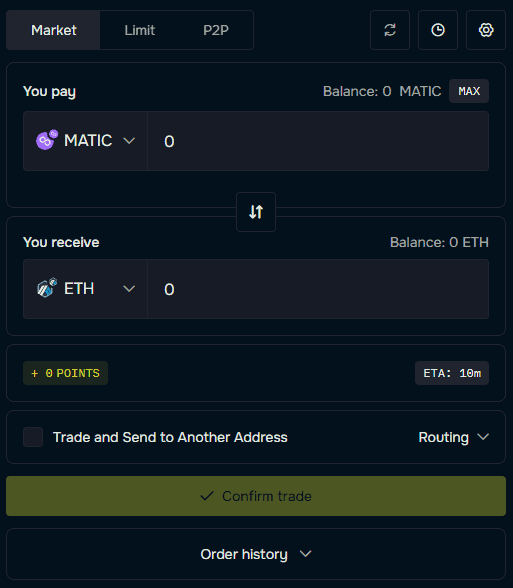
WheelX
WheelX is a multichain bridge and swap aggregator covering 50+ EVM networks. It analyzes different bridge and DEX routes to determine cost-efficient paths. It is limited to EVM chains but can sometimes quote lower total fees compared to direct canonical transfers, depending on network conditions.
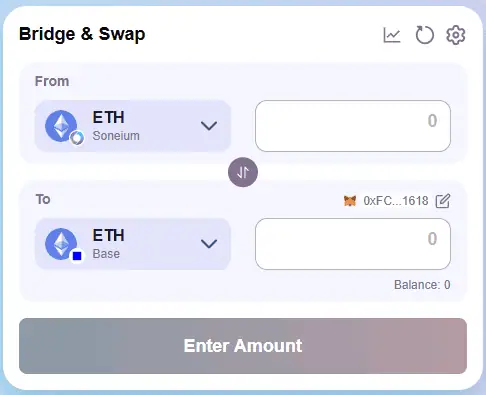
Security Considerations:
When bridging to MegaETH, keep the following in mind:
- Official Interface: Access the MegaETH Bridge directly from its verified domain. Avoid clicking ads, shortened links, or links shared in random social posts.
- Transaction Status: If the transfer takes longer than expected, review the transaction hash on the source chain explorer before retrying. Submitting another transaction without checking can result in duplicate fees.
- Fee Transparency: Before confirming, examine the quoted output, routing path, and total gas cost. Differences can occur depending on liquidity and network congestion.
If the tokens do not show up after completion, make sure MegaETH is added to your wallet, confirm the correct receiving address, and verify final settlement on the MegaETH explorer before escalating the issue.
Final Thoughts
MegaETH’s increase in popularity may largely be due to the backing of two of the most prominent figures in the crypto space, Vitalik Buterin and Joseph Lubin. However, user interest in the network is mostly driven by the promise it brings. Since it is still relatively new, many protocols may offer options to bridge funds to MegaETH. During times like these, it is important to stay cautious, as phishing scams are common around newly launched networks. Only use official bridges or well-established bridge protocols that allow you to bridge to MegaETH safely.
If you want to explore another Layer 2 network, you can also go through our bridge to Ink guide to learn how to explore Kraken’s new Layer 2 solution and its DeFi ecosystem.
FAQs
1. Is the MegaETH Bridge the safest option?
The MegaETH Bridge is the canonical route integrated into the official RabbitHole interface. For most EVM transfers, it is the default choice due to direct protocol alignment.
2. How long does it take to Bridge to MegaETH?
Transfer times depend on the source network and congestion levels. In most cases, confirmations complete within minutes, though Ethereum mainnet congestion can extend this.
3. Do I need ETH on MegaETH after bridging?
Yes. Even after you Bridge to MegaETH, you will need ETH on the MegaETH network to pay for transaction fees when interacting with applications.